How to Set Up a Hardware Wallet, Step by Step
Staff · August 24, 2026 · 9 min read
Published August 24, 2026 · Reviewed to our editorial standards. This article is informational and not financial advice.
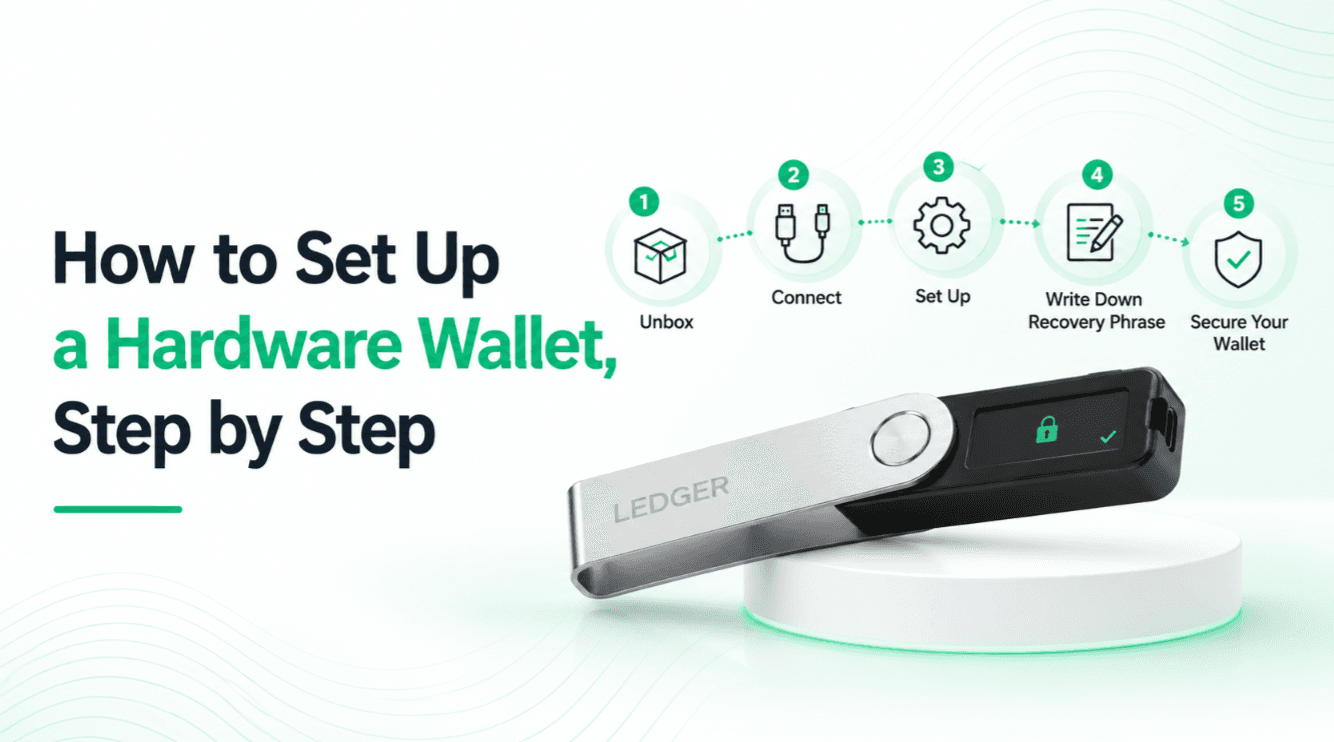
A hardware wallet does one job: it keeps a private key in a device that never connects to the internet, and shows you what you are signing on a screen your computer cannot alter. Almost every failure of that job traces back to how the device was set up rather than to the hardware itself.
This is the sequence, with the reasoning attached. It takes about twenty minutes, and the last two steps are the ones that separate a real setup from a false sense of safety.
Before the device arrives: buy it from the vendor
Order direct from the manufacturer, not a marketplace listing. A supply chain attack does not need to be sophisticated: a device shipped with a pre-generated recovery phrase and a convincing card telling you to use it will empty itself the moment you fund it. Counterfeit devices mailed to real addresses have been an active tactic since the 2020 leak of Ledger's customer database.
If you have not chosen a device yet, our best hardware wallets table scores them on what the secure element protects, how much of the firmware can be independently reviewed, and how recovery behaves when the device is lost.
Step 1: verify the device before you trust it
Every serious vendor publishes a way to check that the firmware running on the device is genuine — an attestation in the companion app, a signature check, or a startup verification. Do it before generating anything. On an air-gapped device this is the single moment the supply chain can be audited, and it takes a minute.
Install the companion software from a link you typed yourself, not from a search result. Search advertising for wallet software has been a reliable phishing vector for years.
Step 2: let the device generate the seed
The recovery phrase must be generated by the device, offline, and displayed only on its screen. If anything — a website, an app, a piece of paper in the box — offers you a phrase, the device is compromised and should be returned.
Set a PIN when prompted, and choose something you will remember without writing it beside the seed. The PIN protects against someone who physically holds the device; on a wallet with a secure element, repeated wrong guesses wipe it rather than allowing indefinite attempts.
Step 3: write the phrase down properly
Copy the words in order, by hand, onto the card supplied or — better — onto metal. Never photograph it, never type it into a password manager, never store it in cloud notes. A phrase that has touched an internet-connected device is a phrase that can be exfiltrated by anything that later compromises that device.
- Write the words legibly and number them; a misread word years later is indistinguishable from a lost wallet.
- Store the backup somewhere fire and water would not destroy it, which is why metal beats paper.
- Keep a second copy in a different physical location, so one flood or one burglary is not total.
- Read more on the trade-offs in seed phrase backup.
Step 4: decide about a passphrase
Most devices support an optional passphrase — an extra word or sentence that produces a completely different wallet from the same seed. It defends against someone who finds your written backup, because the phrase alone is then useless.
It also introduces a new way to lose everything: forget the passphrase and the funds are gone, with no recovery path whatsoever. Use one only if you have a genuine plan for remembering or storing it separately, and understand that a passphrase kept beside the seed provides no protection at all.
Step 5: test recovery before you fund it
This is the step almost everyone skips, and it is the one that matters most. Wipe the device and restore it from your written backup. You will feel slightly sick for the two minutes it takes, which is precisely the point: better to discover a transcription error now, with nothing at stake, than in three years when the device has failed.
A backup that has never been tested is a hypothesis, not a backup. If you take one thing from this guide, take that.
Step 6: send a small amount first
Move a token amount, confirm it arrives, and send a small amount back out so you have exercised the whole loop — receiving, signing, broadcasting. Only then move the rest. The cost is a couple of network fees; the alternative is discovering a problem with your entire balance in flight.
Living with it afterwards
Read the device screen every single time you sign. That is what you bought. Keep the firmware current, but wait a few days after a major release rather than updating the moment it lands. Connect the device to a software wallet you trust for day-to-day use — our self-custody wallet table scores those on how clearly they show what you are about to approve — and keep long-term holdings in an address that never touches a decentralised application.
What happens when the device eventually fails
Hardware fails, and this is the part people find counter-intuitive: it does not matter. The device holds a key derived from your recovery phrase, and that phrase reproduces the same wallet on any compatible device from any manufacturer. A dead Trezor can be restored onto a BitBox, a lost Ledger onto a Keystone.
Which is why the backup, not the device, is the asset — and why buying a second device is a convenience rather than a necessity. What you cannot replace is the phrase. If your plan for a broken device is "buy the same model again", you have a plan; if your plan depends on the original device still working, you do not have one.
The mistakes that keep recurring
- Photographing the recovery phrase "just until I write it down properly" — the photo syncs to a cloud account within seconds and is effectively public.
- Storing the passphrase with the seed, which removes the protection the passphrase existed to provide.
- Buying second-hand, or from a marketplace seller, and trusting a phrase that came in the box.
- Skipping the recovery test, then discovering a misread word years later when the device has already failed.
- Using the same address for long-term savings and for connecting to decentralised applications, which exposes the savings to every approval you sign.
None of this is difficult. It is a sequence, done once, carefully. The people who lose coins from hardware wallets almost never lose them to a broken device; they lose them to a step in this list that felt optional at the time.
Frequently asked questions
Can I set up a hardware wallet without a computer?+
Several devices support setup and signing entirely by QR code or microSD with a phone, and never connect to a computer at all. Air-gapped models are built specifically for this, which removes the computer as an attack surface.
Should I use a passphrase on my hardware wallet?+
Only with a plan for remembering it. A passphrase protects your funds if someone finds the written seed, but forgetting it destroys access permanently, and storing it next to the seed defeats the purpose entirely.
Do I need to test the recovery before funding the wallet?+
Yes. Wipe the device and restore from your written words before sending anything meaningful. An untested backup is a guess, and transcription errors are the most common way people discover their backup does not work.
Is it safe to buy a hardware wallet from a marketplace?+
Buy direct from the manufacturer. Tampered and counterfeit devices, some mailed to addresses taken from a 2020 customer data leak, are an established attack — and a device that hands you a pre-written recovery phrase is already compromised.
Written by
CryptoCoinBeatKeep Reading

Bitcoin ETFs Explained: How Spot Bitcoin ETFs Work
Spot Bitcoin ETFs let investors hold bitcoin exposure in a brokerage account. Here is how they work and how they differ from owning coins.
Maria Fernandez · May 3, 2026→
How to Store Bitcoin Safely: Wallets and Best Practices
Storing bitcoin safely comes down to protecting your private keys. Here is how wallet types compare and the habits that keep funds secure.
David Turner · May 17, 2026→

Bitcoin Halving Explained: What It Is and Why It Matters
Every four years Bitcoin cuts its issuance rate in half. Here is how the halving works, what history shows, and why it shapes supply.
Maria Fernandez · May 28, 2026→